
Install the Commerce Picker
The Commerce Picker is an extension that lets you select products, categories, and product variants from your catalog and insert them into your content. It provides a visual interface for browsing and selecting commerce items in your authoring environment.
Installing the Commerce Picker
Section titled “Installing the Commerce Picker”Add the Commerce Picker to your storefront configuration in Document Authoring.
-
Access your storefront configuration: Navigate to your storefront’s configuration in Document Authoring by either:
- Clicking the gear icon in the DA.live browser interface
- Opening directly:
https://da.live/config#/<your-org>/<your-site>/
-
Navigate to the Library tab: Click the Library tab in the configuration interface.
-
Add the Commerce Picker configuration: Add a new row with the following values:
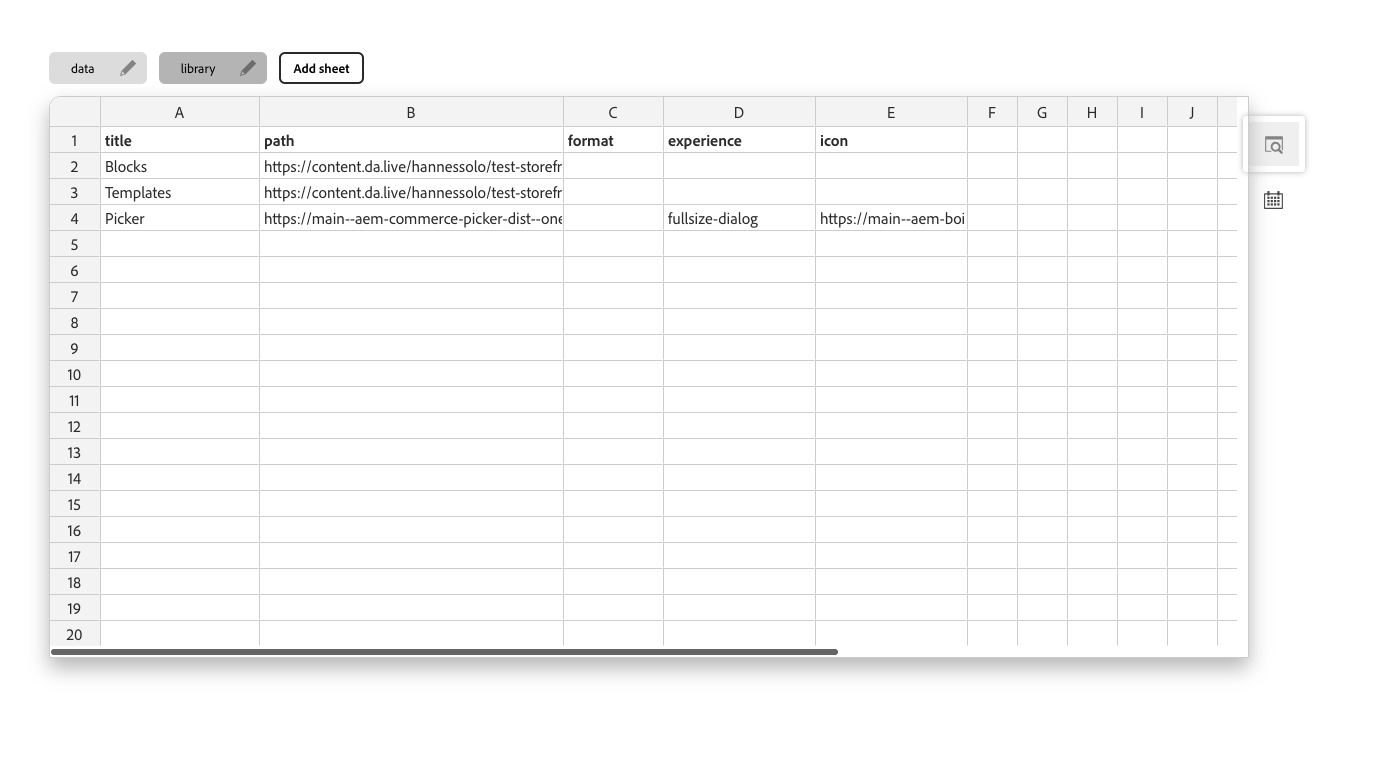 Commerce Picker Configuration
Field Value Title Commerce Picker Path https://main--aem-commerce-picker-dist--oneadobe.aem.page/dist/dist/document-authoring.html?configs-path=/config.jsonExperience fullsize-dialog Icon https://main--aem-boilerplate-commerce--hlxsites.aem.page/icons/cart.svg