
PaymentMethods container
The PaymentMethods container displays saved payment methods for the signed-in customer (for example, cards saved during checkout). Vaulting means Adobe Commerce stores a token—not the full card number—so the shopper can reuse the method later. You can render it as a full section or a compact layout alongside other account widgets. The list uses the same card styling as checkout via the PaymentCard component.
Data loading
Section titled “Data loading”The container uses the usePaymentMethods hook in the @dropins/storefront-account package, which chooses a data source as follows:
- Event bus (eager) — The hook subscribes to the
account/customerPaymentTokensviaevents.onwitheager: true, so any existing payload is applied immediately. If a payload is already present, the display list is sourced from the event bus, and no GraphQL request runs on mount. This path is for injection only and does not define removal behavior. - GraphQL — If no data is received from the event bus, the hook calls
getCustomerPaymentTokens.
The Remove button always calls the GraphQL deletePaymentToken mutation with the token’s public_hash (never the event bus), then updates the list on success—regardless of whether the rows were initially sourced from the bus or from getCustomerPaymentTokens.
In the default PaymentMethods container, the shopper must confirm in the removal modal before the hook executes the delete (or performs a local-only update if the list was sourced from the event bus).
Changing filterPaymentMethodCodes after the initial load triggers a refetch only when the data source is GraphQL (not when the data comes from the event bus).
For the account/customerPaymentTokens payload type in TypeScript, see TypeScript declaration on the Events page.
Layout
Section titled “Layout”Full layout
Section titled “Full layout”Use the default layout on a dedicated Payments or account settings page. Include a section header (unless disabled), a list of cards with remove actions, and a full empty state when no saved methods exist.
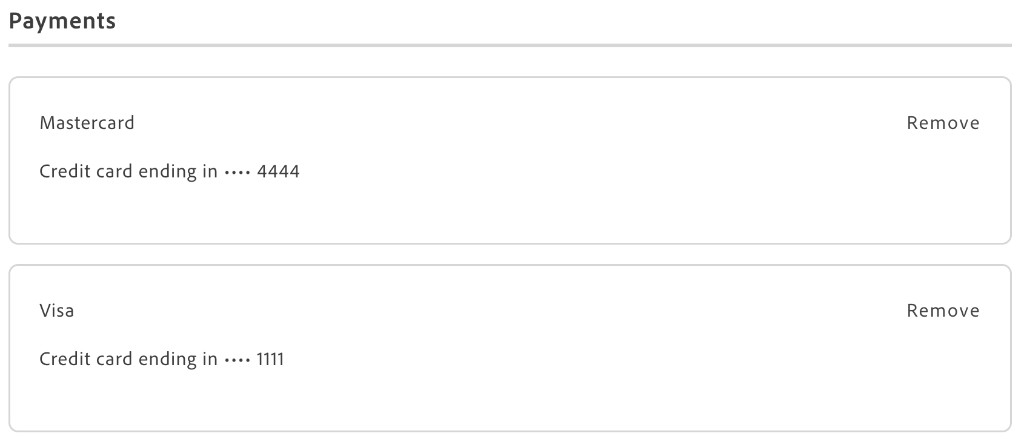
Minified layout
Section titled “Minified layout”Set minifiedView when placing the container alongside other dashboard widgets. In this mode, both the empty state and each card use a single-row layout (brand, masked number, optional expired tag, and the Remove button).
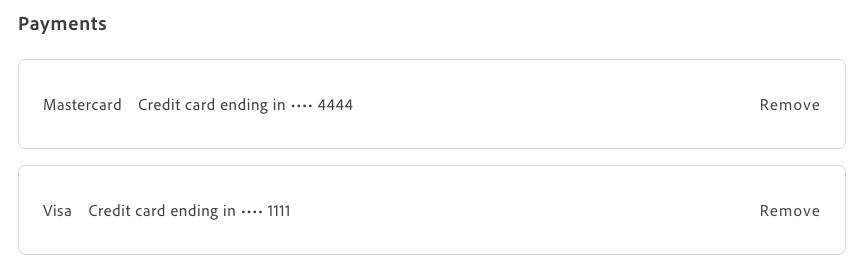
Remove confirmation
Section titled “Remove confirmation”This section describes what the shopper sees when removing a stored payment method (for example, a card saved at checkout) and what happens on the server afterward, so you can test the flow or explain it to authors.
- The shopper selects Remove on a row.
- A remove confirmation dialog opens. When displayed, the dialog may include a small
PaymentCardpreview showing the card brand, last digits, and expired status.
The shopper then chooses one option:
- Cancel closes the dialog. Nothing is deleted on the server.
- The Remove button applies the deletion. If the list was loaded via GraphQL, the UI calls
deletePaymentToken. If the list came only from the event bus, it removes the item in memory (see Data loading).
When Remove succeeds, the row disappears from the list and the dialog closes.
Full layout
Section titled “Full layout”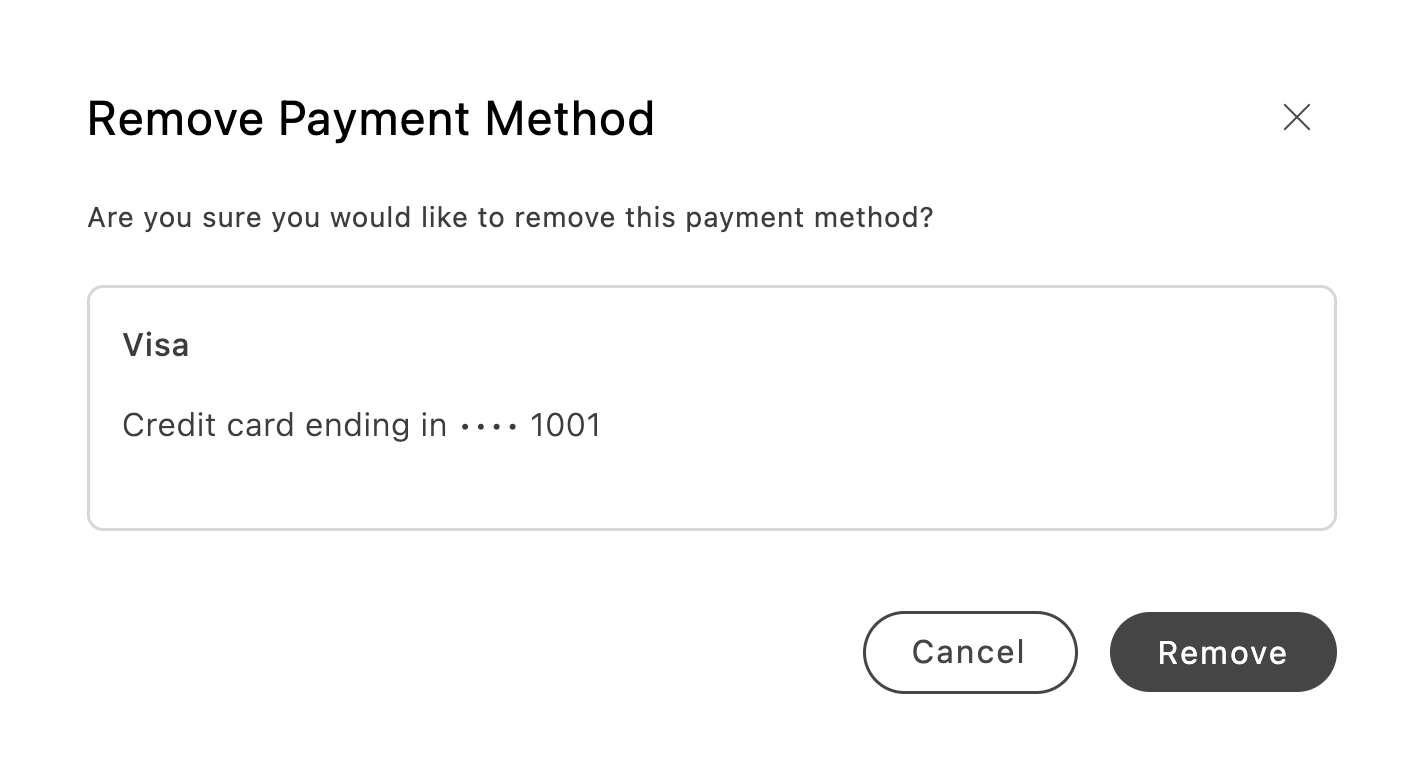
Minified layout
Section titled “Minified layout”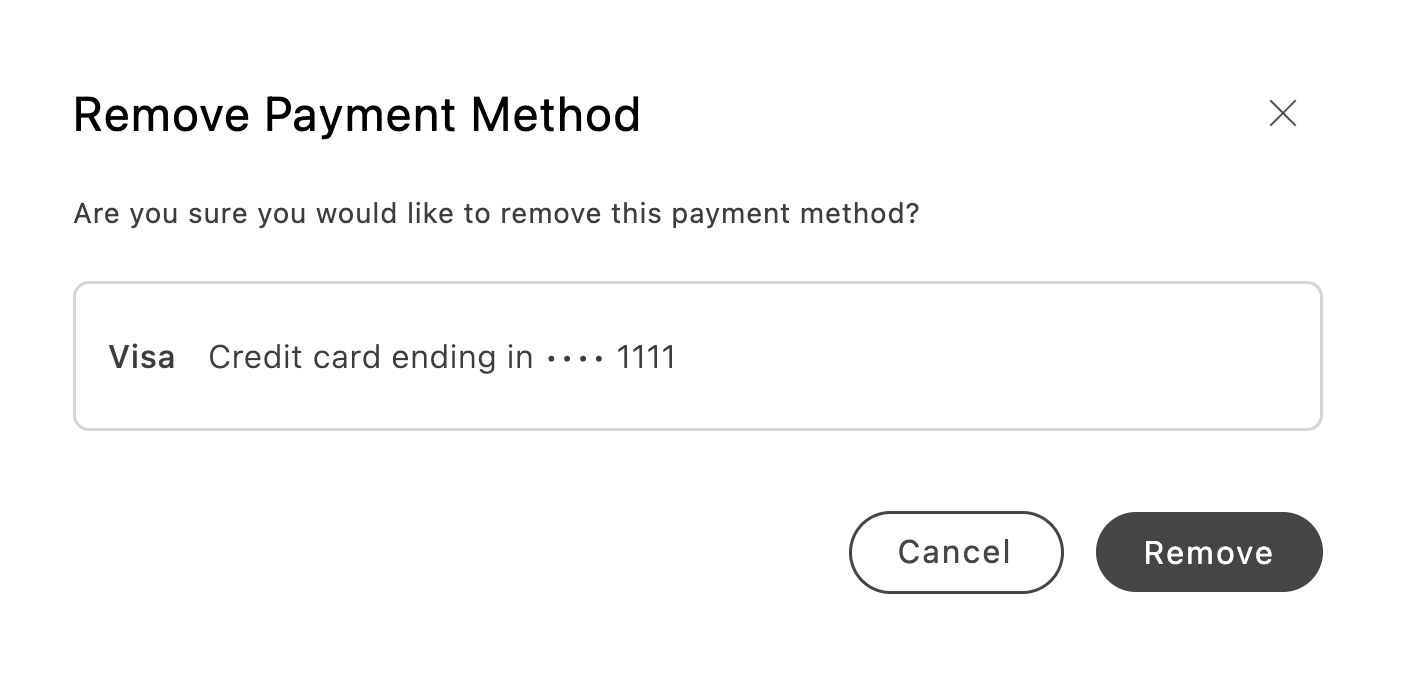
While a removal request is running, the dialog shows loading on the confirm control. Remove is disabled on every row until the request finishes.
You can change the dialog labels and body text with dictionary keys under Account.Payments.removePaymentModal (see Stored payment methods (Payments)).
Configurations
Section titled “Configurations”The PaymentMethods container accepts standard HTML div attributes plus the following options:
Example
Section titled “Example”The following example shows the usual boilerplate pattern: initializer, container import, and render from the account drop-in.
import '../../scripts/initializers/account.js';import PaymentMethods from '@dropins/storefront-account/containers/PaymentMethods.js';import { render as accountRenderer } from '@dropins/storefront-account/render.js';
export default async function decorate(block) { if (!checkIsAuthenticated()) { window.location.href = CUSTOMER_LOGIN_PATH; return; }
await accountRenderer.render(PaymentMethods, { minifiedView: false, withHeader: true, // Optional: limit to specific gateway codes // filterPaymentMethodCodes: ['payment_services'], })(block);}For programmatic access to the same data and removal behavior outside this container, see User Account functions for getCustomerPaymentTokens and deletePaymentToken, and Events for account/customerPaymentTokens.