
SellerAssistedBuyingActivity container
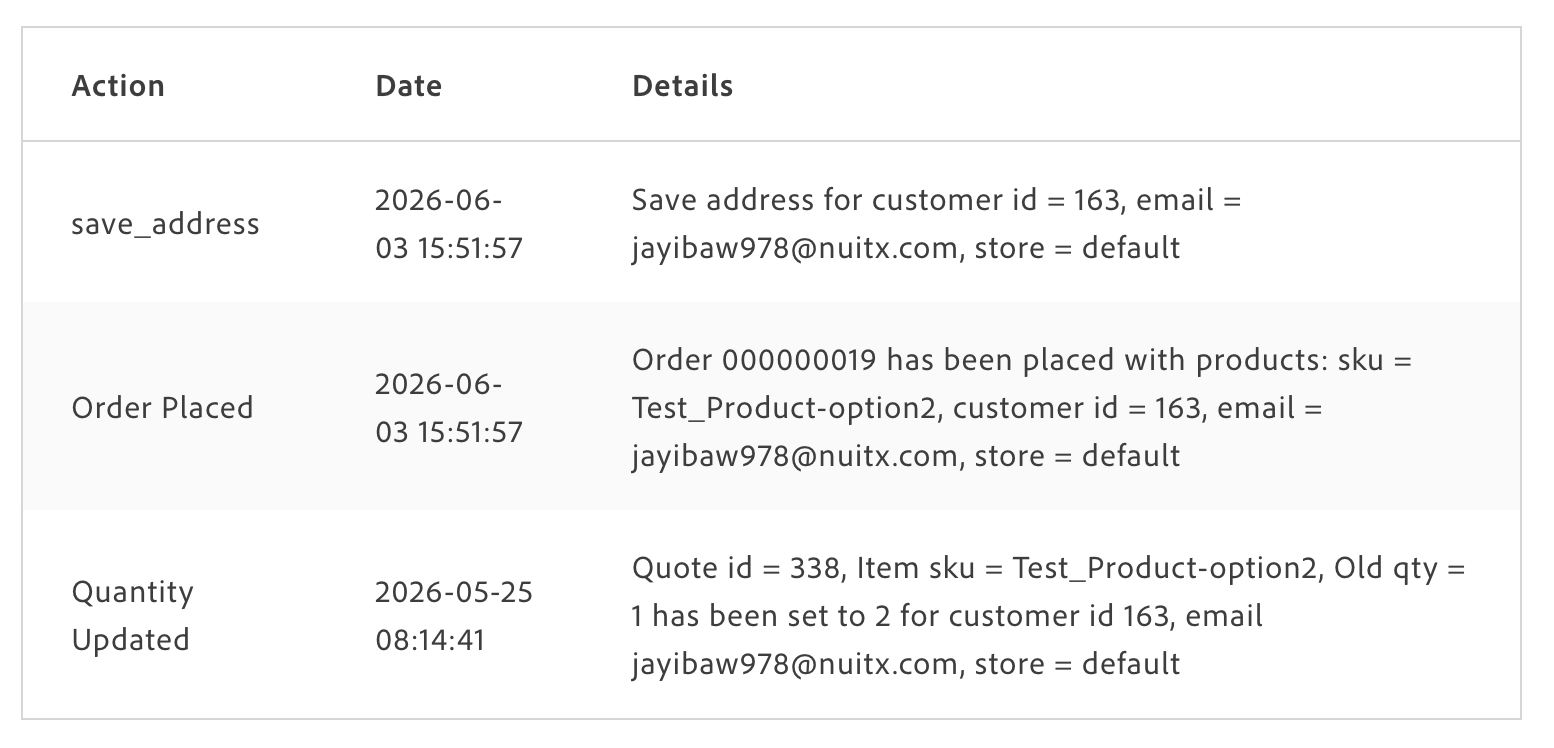
The SellerAssistedBuyingActivity container displays a read-only table of administrator actions recorded during seller-assisted buying sessions. The table shows three columns: action, date, and details. Customers can review what an administrator did on their behalf but cannot modify or delete any records.
This container is part of the seller-assisted buying feature. For the end-to-end flow and Admin setup, see Seller-assisted buying. When remote shopping assistance is disabled at the store level, the container displays a feature-disabled message instead of the table.
Configuration
Section titled “Configuration”| Parameter | Type | Req? | Description |
|---|---|---|---|
className | string | No | Custom CSS class applied to the root container element. Merged with the default class. Use to apply brand styles or integrate with a utility CSS framework. |
pageSize | number | No | Number of activity items shown per page. Controls both the GraphQL query page size and UI pagination. Defaults to 10. Use smaller values (5–10) for mobile-optimized views and larger values (15–25) for desktop auditing scenarios. |
withWrapper | boolean | No | Controls whether the table is wrapped in the default Card component. Defaults to false. Set to true when you want the drop-in to provide its own card wrapper. |
This container does not expose any customizable slots.
The boilerplate already includes the commerce-seller-assisted-buying-activity block, which renders this container with withWrapper: false. No changes are required to place the activity log on a page.
To increase the number of rows shown per page, pass pageSize to the render call in the block file:
await accountRenderer.render(SellerAssistedBuyingActivity, { pageSize: 20, withWrapper: false,})(container);To wrap the table in the drop-in’s default Card component, set withWrapper: true:
await accountRenderer.render(SellerAssistedBuyingActivity, { withWrapper: true,})(container);