
OrderStatus Container
Configuration
Section titled “Configuration”The OrderStatus container provides the following configuration options:
| Parameter | Type | Req? | Description |
|---|---|---|---|
className | string | No | Additional CSS classes to apply to the container |
orderData | OrderDataModel | No | A structured object containing order data. Used as an initial value or fallback if data is not fetched from the backend. |
statusTitle | string | No | Custom title text to display above the order status indicator. |
status | StatusEnumProps | No | The current order status value used to display the status indicator. |
routeCreateReturn | function | No | Function that returns the URL for the create return page. |
routeOnSuccess | function | No | Function that returns the URL to redirect to after a successful action. |
onError | function | No | Callback function triggered when error |
This container exposes the following slots for customization:
| Slot | Type | Required | Description |
|---|---|---|---|
OrderActions | SlotProps | Yes |
The following example demonstrates how to use the OrderStatus container:
import { render as provider } from '@dropins/storefront-order/render.js';import { OrderStatus } from '@dropins/storefront-order/containers/OrderStatus.js';
await provider.render(OrderStatus, { className: "Example Name", orderData: orderData, statusTitle: "Example Title", slots: { // Add custom slot implementations here }})(block);Administrator-assisted orders
Section titled “Administrator-assisted orders”When the seller-assisted buying feature is in use, the OrderStatus container shows an “Order placed by an administrator” label when adminAssistedOrder is set on the order. The label renders with the CSS class .order-order-status-content__admin-assisted and appears automatically. No configuration is required.
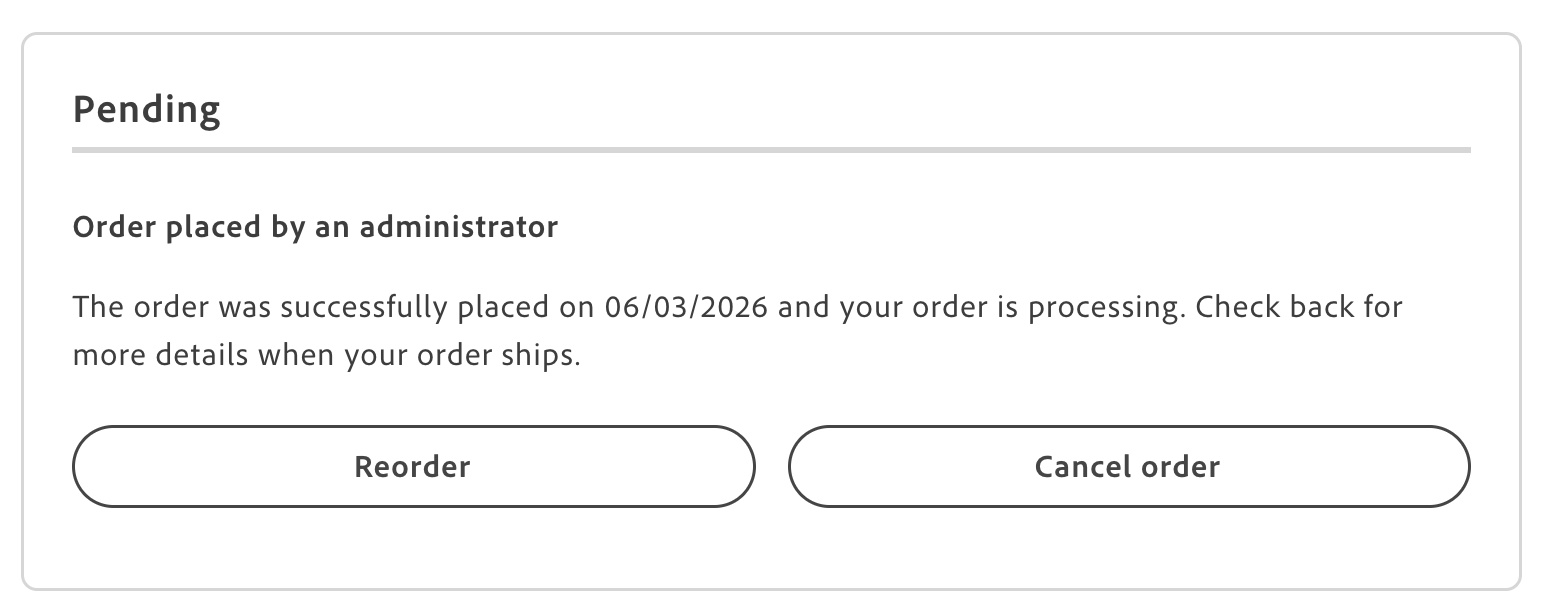
Order status page showing the administrator label
To customize the label text, override the Order.OrderStatusContent.adminAssistedLabel dictionary key in the order initializer. See the Order dictionary for the key and Seller-assisted buying for the end-to-end flow.