
Vaulted cards at checkout
This page is checkout-focused: it describes the Credit card experience when vaulted tokens are available (stored rows plus Pay with a new card), the Payment Services containers and APIs used to build it, and where the Commerce boilerplate integrates this flow. Saved payment methods in My Account are handled by the User Account drop-in (for example, the PaymentMethods container, depending on your storefront version).
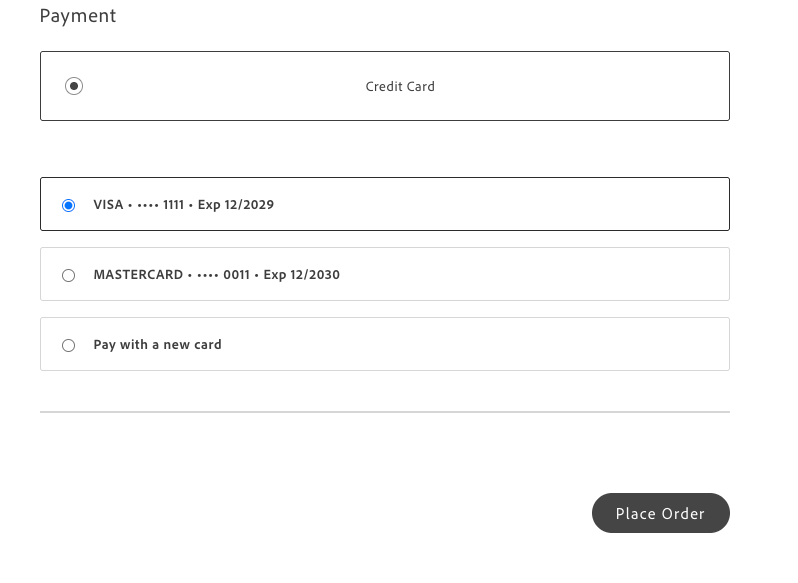
When Credit card is selected and the shopper is signed in with vaulted cards, checkout displays Stored payment methods: each saved card as a selectable row, along with Pay with a new card to open the card form. The CreditCard and StoredCards containers work together with helpers from @dropins/storefront-payment-services/api.js and initialization (for example, getCustomerToken).
Prerequisites
Section titled “Prerequisites”- Payment Services is onboarded and the Payment Services drop-in meets the version your storefront uses for vault checkout.
- Vaulted card creation and token behavior follow Adobe’s vaulted card workflow .
- Checkout loads the Payment Services initializer (for example, the boilerplate scripts/initializers/payment-services.js ).
- Use a storefront or boilerplate version that includes vaulted checkout support if you’re following the reference implementation below.
Pay with a saved card
Section titled “Pay with a saved card”The shopper can select a vaulted card to charge that payment method without re-entering full card details.
Pay with a new card
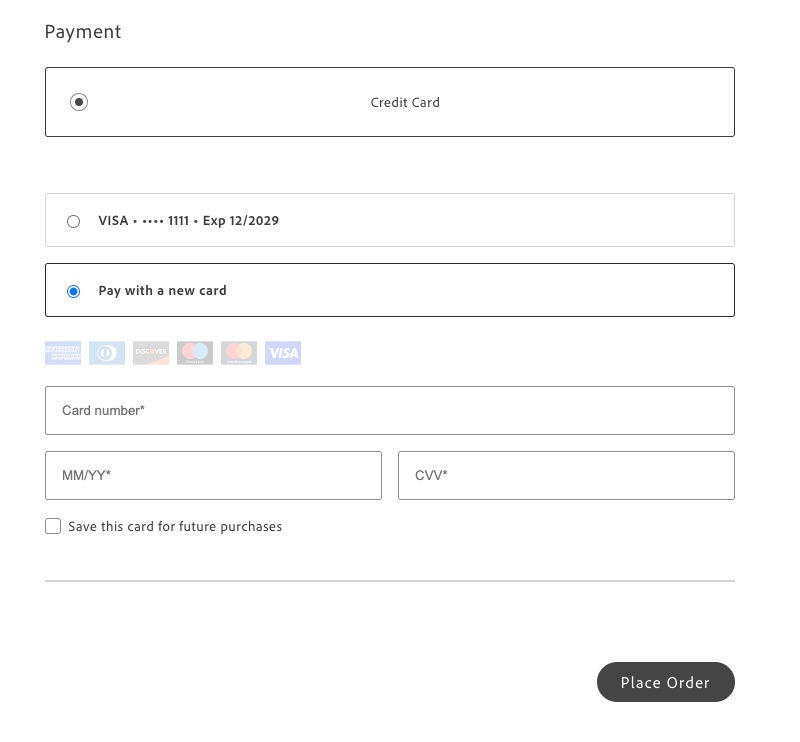
Section titled “Pay with a new card”Choosing Pay with a new card displays the secure card form (card number, expiration, CVV), along with card brand icons and, when vaulting is enabled for the session, an option to Save this card for future purchases.
Reference implementation (Commerce boilerplate)
Section titled “Reference implementation (Commerce boilerplate)”The Commerce boilerplate checkout block shows how to compose the Checkout PaymentMethods slot with Payment Services StoredCards and CreditCard. You can reference the same files you would customize in your own project:
blocks/commerce-checkout/containers.js— For Credit card, the block loads eligible vault tokens for signed-in shoppers, rendersStoredCardsusing mapped vault data (getVaultEligibleTokensFromCustomerPaymentTokensData,normalizedVaultTokenToStoredCardProps), callssyncVaultToCartwhen a saved card is selected, and mountsCreditCardwhen Pay with a new card is chosen. It also adjusts payment method sync andautoSyncwhen vault tokens are present to keep the cart aligned with the UI.blocks/commerce-checkout/commerce-checkout.js— Place order uses the selected payment method (including the vault flow), allowing a stored card to complete the order without submitting the hosted card form.blocks/commerce-checkout/commerce-checkout.css— Controls the layout and stacking of the credit card section when vault is enabled (for example, the wrapper around stored cards and the new card form).
Use the repository history or your integration branch to find the revision that includes this wiring; file names typically remain stable on main over time.
Related documentation
Section titled “Related documentation”- StoredCards container — props and behavior for the stored-card list at checkout.
- CreditCard container — hosted form, Save this card, and refs.
- Functions (API) — vault helpers, tokens, and GraphQL entry points exported from the drop-in.
- Initialization — Payment Services configuration and customer token.
- Add payment method — Checkout PaymentMethods slot patterns for other providers.
- User Account — account experiences, including saved payment methods when your docs version includes them.