
QuickOrderItems Container
The QuickOrderItems container is the central component for managing and reviewing products in the drop-in workflow. It displays items added via CSV upload, multiple SKU entry, and product search. Each item shows name, SKU, price, and quantity. Users can update quantities, remove items, and configure options for configurable products. An integrated search input allows adding products through autocomplete without leaving the page.
The container surfaces validation issues through contextual notifications and highlights problematic items with clickable SKU references that scroll to the relevant product. It handles full-success and partial-success add-to-cart scenarios, informing users which products were added and which require attention. Loading states are managed at global and item levels. When Quick Order is disabled, the container displays an overlay while preserving the underlying content.
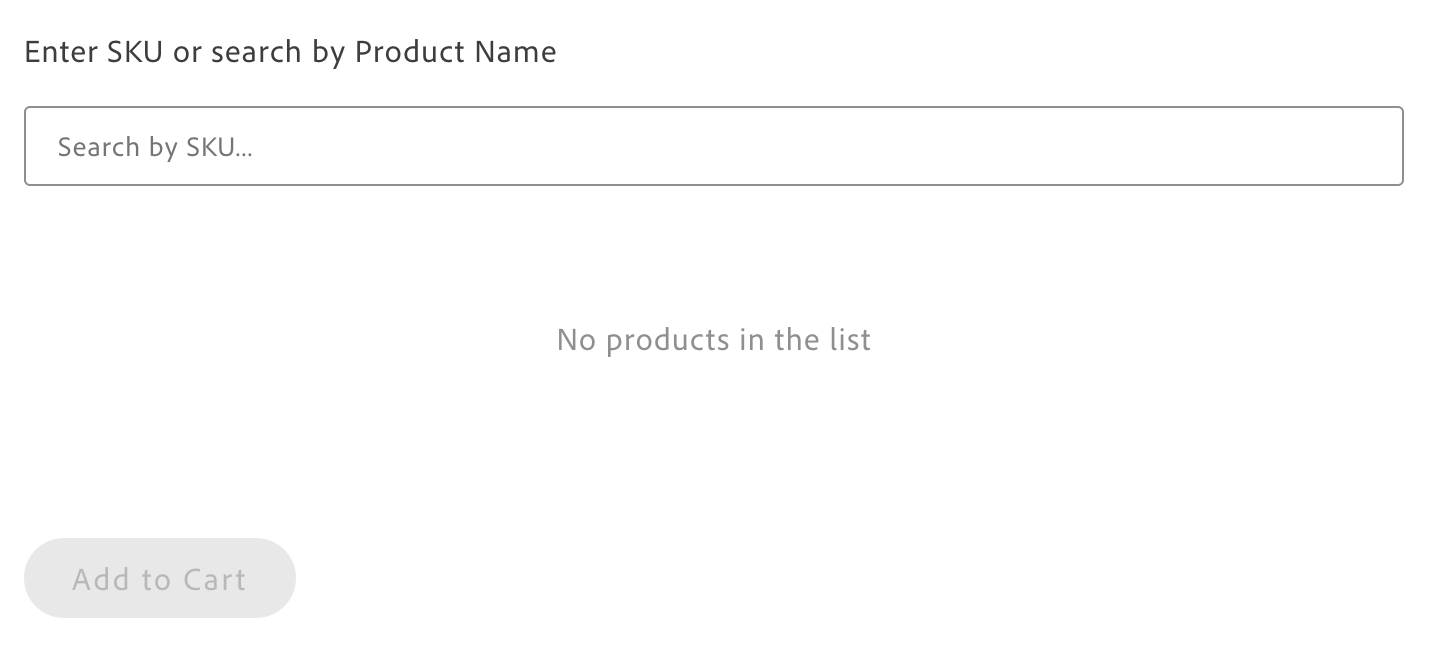
Configuration
Section titled “Configuration”| Parameter | Type | Req? | Description |
|---|---|---|---|
className | string | No | CSS class applied to the container root. |
getProductsData | (items: OrderItemInput[]) => Promise<OrderItem[]> | Yes | Fetches product data for the given SKUs/items. OrderItemInput: { sku: string; variantSku?: string; quantity?: number; replaceItemSku?: string }. Typically from PDP drop-in getProductsData. Required for resolving products when items are added. |
productsSearch | (params: { phrase: string; filter: Array<{ attribute: string; in: string[] }> }) => Promise<{ items: OrderItem[] }> | No | Search API for product search by SKU or name. Typically from Product Discovery drop-in search. If not provided, search functionality is disabled in the UI. |
searchFilter | Array<{ attribute: string; eq?: string; in?: string[] }> | No | Filters applied to product search. Default: [{ attribute: 'visibility', in: ['Search', 'Catalog, Search'] }]. The Commerce boilerplate uses both eq (for categoryPath) and in (for visibility); the drop-in type definition may list only in. |
handleAddToCart | (items: any[], clearItems: () => void) => void | string | Promise<void | string> | No | Custom handler when “Add All to Cart” is clicked. Receives the cart items array and a clearItems function to reset the list after successful addition. If omitted, the drop-in emits quick-order/add-to-cart. Return an error message string to show a notification and emit quick-order/add-to-cart-error. Invoke clearItems() after successful addition to reset the Quick Order list. |
slots | object | No | Slots for ProductPrice, ProductOptions, AddAllToCartButton, QuickOrderItemSearch, QuickOrderSearchAutocompleteItem. See Slots. |
This container exposes slots for price display, product options (configurables), the add-to-cart button, and search UI. See Quick Order Slots and Extending drop-ins.
This container requires getProductsData and productsSearch (typically from the PDP and Product Discovery drop-ins). If handleAddToCart is omitted, the container emits quick-order/add-to-cart for external handlers.
Example with PDP and Cart integration:
import { render as quickOrderProvider } from '@dropins/storefront-quick-order/render.js';import QuickOrderItems from '@dropins/storefront-quick-order/containers/QuickOrderItems.js';import { render as pdpProvider } from '@dropins/storefront-pdp/render.js';import ProductPrice from '@dropins/storefront-pdp/containers/ProductPrice.js';import ProductOptions from '@dropins/storefront-pdp/containers/ProductOptions.js';import * as pdpApi from '@dropins/storefront-pdp/api.js';import * as cartApi from '@dropins/storefront-cart/api.js';import * as searchApi from '@dropins/storefront-product-discovery/api.js';import { rootLink } from '../../scripts/commerce.js';
quickOrderProvider.render(QuickOrderItems, { getProductsData: pdpApi.getProductsData, productsSearch: searchApi.search, searchFilter: [ { attribute: 'categoryPath', eq: '' }, { attribute: 'visibility', in: ['Search', 'Catalog, Search'] }, ], className: 'quick-order-items', handleAddToCart: async (values) => { if (!values.length) return; try { await cartApi.addProductsToCart(values); window.location.href = rootLink('/cart'); } catch (error) { return error.message || 'Failed to add products to cart.'; } }, slots: { ProductPrice: (ctx) => { const priceContainer = document.createElement('div'); priceContainer.className = 'product-price-slot'; pdpProvider.render(ProductPrice, { scope: ctx.scope, initialData: ctx.item })(priceContainer); ctx.replaceWith(priceContainer); }, ProductOptions: (ctx) => { const optionsContainer = document.createElement('div'); optionsContainer.className = 'product-options-slot'; pdpProvider.render(ProductOptions, { scope: ctx.scope })(optionsContainer); ctx.replaceWith(optionsContainer); }, },})(quickOrderItemsContainer);Events
Section titled “Events”- Listens:
quick-order/add-items(adds/merges items and fetches product data),quick-order/loading(updates loading state),cart/product/added(from Cart drop-in; shows success notification). - Emits:
quick-order/add-items(from integrated search when user adds via autocomplete),quick-order/loading,quick-order/add-to-cart(when no custom handler),quick-order/add-to-cart-error.
Notifications
Section titled “Notifications”The container shows notifications for: validation errors (missing options, not found, out of stock), backend add-to-cart errors, partial success (number of items added and number of failed SKUs), and full success (item count).
Admin panel
Section titled “Admin panel”No container-specific settings. Enable Quick Order in Adobe Commerce: Stores > Settings > Configuration > General > B2B Features > Enable Quick Order.