
Personalization
Personalization blocks display targeted content to specific customer groups, segments, or cart rules. Use them to show different promotions, messaging, or content to different customer types on the same page.
Vocabulary
Targeted Block
A block that wraps the content targeted for specific customer groups, segments, or cart rules.
Group
(Adobe Commerce Customer Group) assigned to the customer.
Segment
(Adobe Commerce Customer Segment) that applies to the customer.
Cart Rule
(Adobe Commerce Cart Price Rule) that applies to the customer cart.
Configuration parameters
Personalization blocks accept the following parameters:
If the fragment is not used for a personalization block, the last merged row of the block configuration must contain the content.
Specific customer segments
Specify comma-separated customer segment IDs from Adobe Commerce to ensure the block displays only for customers matching these segments.
This example displays content only to customers in segments 1 and 2:

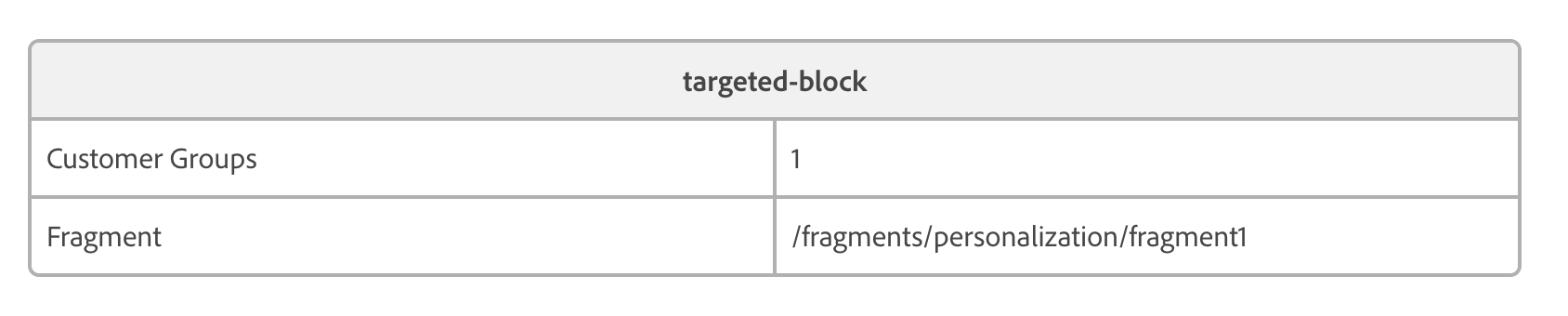
Load interactive content from a fragment
Instead of embedding content directly in the personalization block, specify a path to a fragment. The system loads content from the specified document path and displays it as the personalization block content.
This example loads content from the document path specified in the fragment property:
Fallback using block type
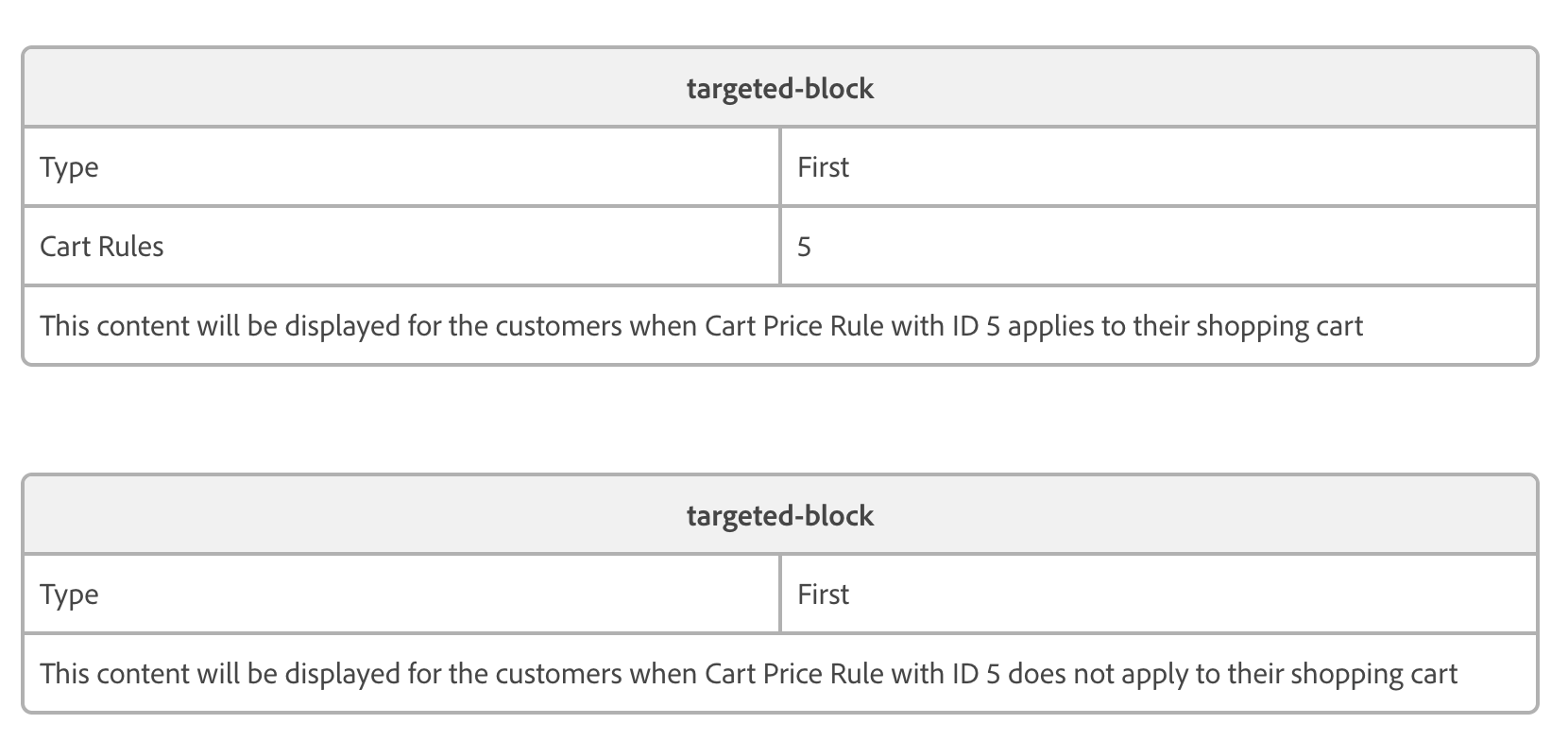
When multiple personalization blocks on a page share the same type, only the first matching block displays. This fallback behavior enables you to configure a personalization block with default content visible to everyone, which specific blocks for particular groups or segments can then replace.
In this example, the first block displays only to customers whose cart meets the conditions of cart price rule ID 5. The second block has no conditions and displays to all customers. However, because both blocks share the same “Type” value, the second block does not display when the first block is active. Blocks with the same type replace each other in the display hierarchy:
Next steps
Now that you understand how to create personalization blocks, you can start experimenting with personalized content for your customers.